We’re excited to share QC One App version 20.13.0. This release focuses on faster syncing, a smoother workplace/licensee switching experience, and a set of usability and stability improvements—plus a small hotfix and background infrastructure updates to keep everything running reliably.
Below you’ll find a detailed overview of what’s new, improved, and important to know for this release.
🚀 QC One App: Release 20.13.0
- Status: Update via App Store
- Release Date: May 5 2026
- Version: 20.13.0
- Platforms: App
- Distribution: Cloud
What’s New & Improved
Specification Manager Only
Better translations (incl. conclusion method score labels)
We improved how the app handles Spec Manager translations, including the newer translation structure for conclusion method score labels and related fields.
What you’ll notice: clearer, more consistent labels in your selected app language, and improved fallback behavior when a translation is missing.
Other / General Improvements
Faster sync with caching + ETag support
Syncing is now faster thanks to smarter caching and ETag support, which helps the app avoid re-downloading data that hasn’t changed.
Why it matters: this is especially useful for teams who sync often, and for users who work across multiple workplaces/licensees.
New UX for switching workplaces/licensees
Switching workplaces/licensees is now easier directly from the Inbox:
- Tap the workplace/licensee name to open the selector (when multiple are available)
- Selecting another workplace triggers a sync, so you always load the correct data
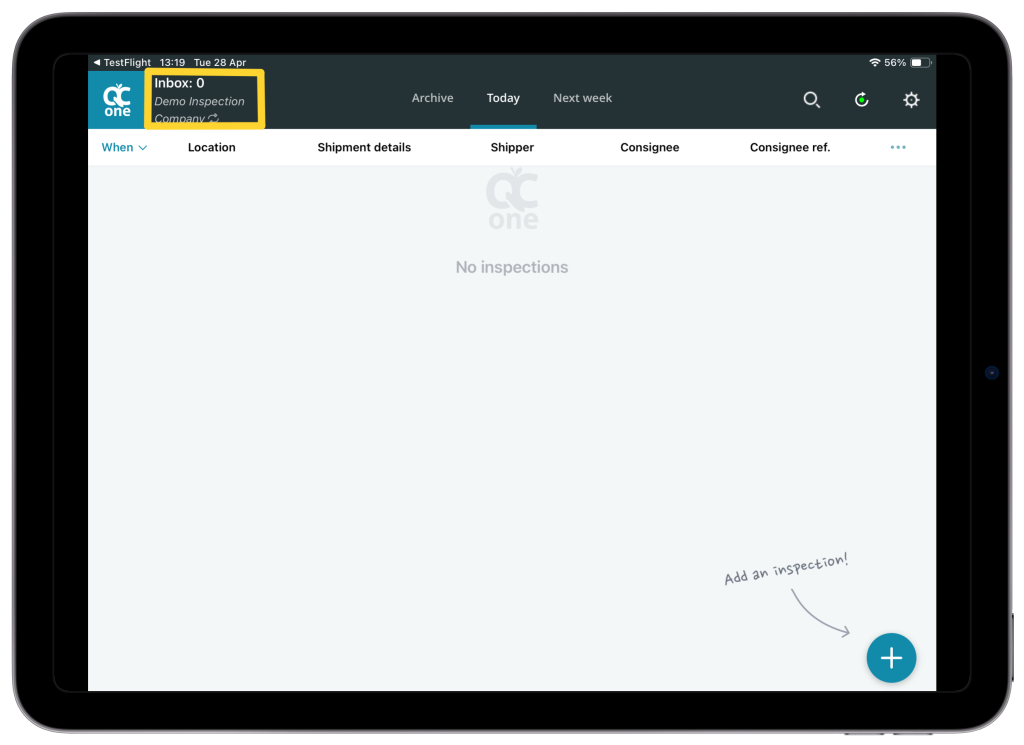
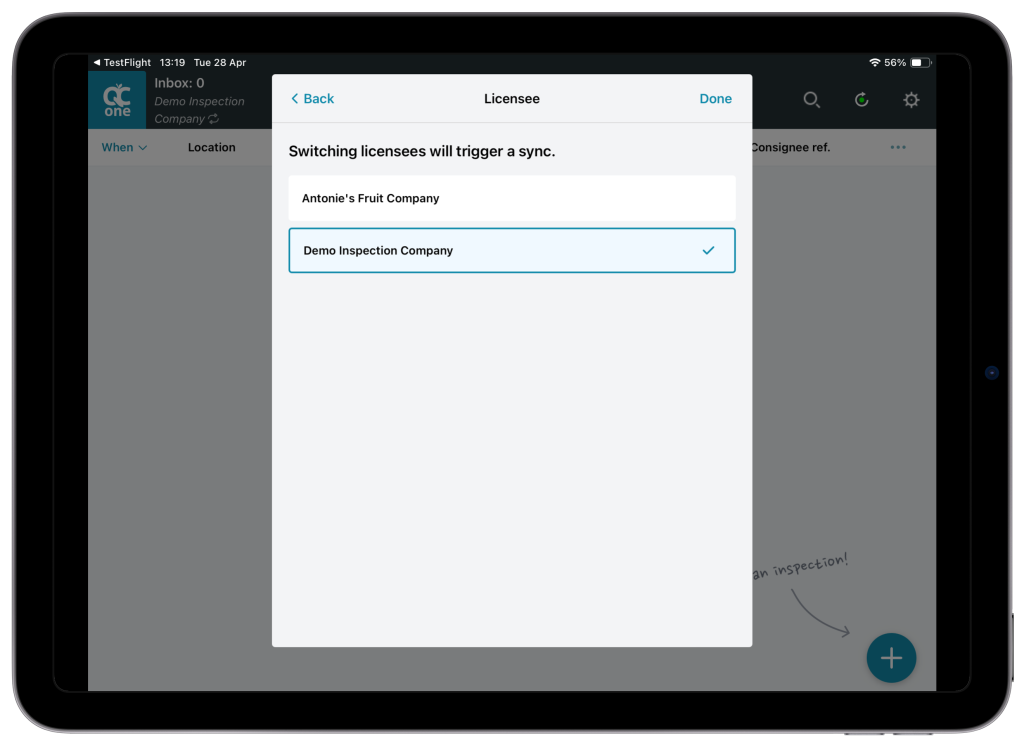
Why it matters: fewer taps, less confusion, and a more predictable “switch + sync + continue working” flow.
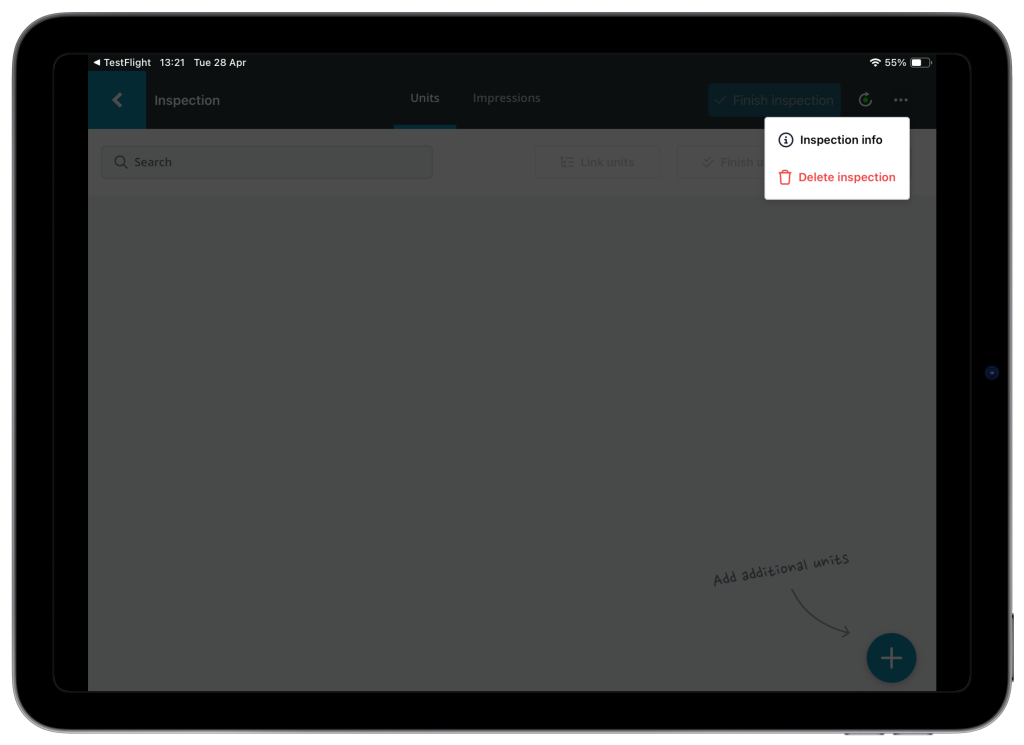
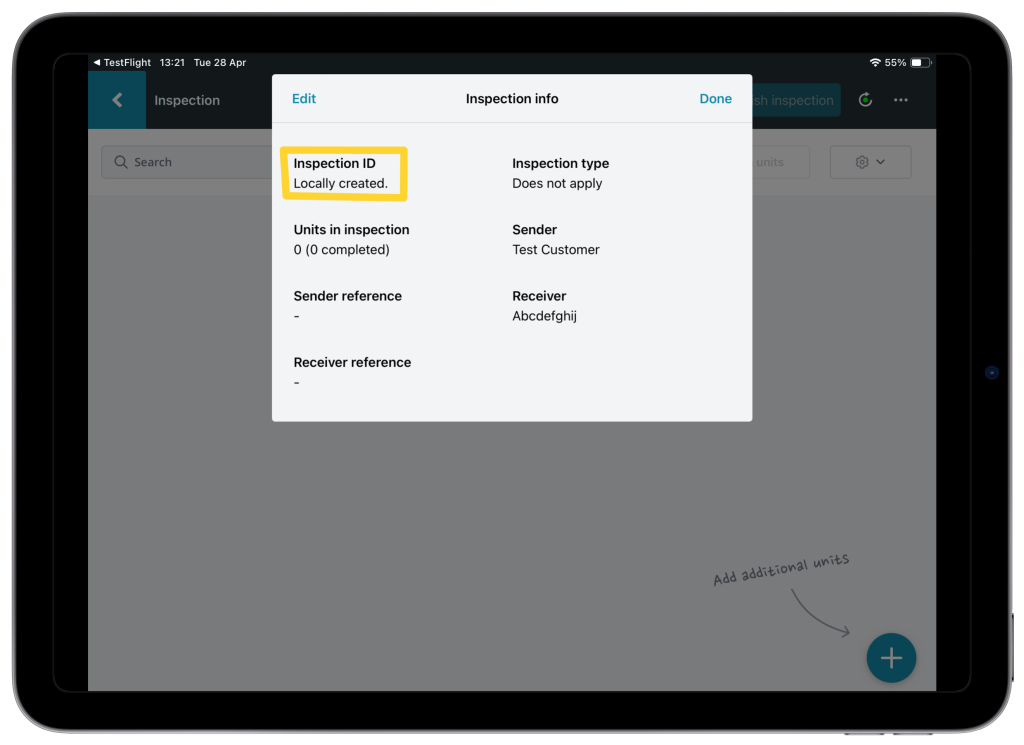
Inspection IDs now visible in the app
Inspection IDs are now shown in the Inspection info modal.
For inspections that are still only on your device (not synced yet), the app shows “Locally created.”
Why it matters: it’s easier to reference a specific inspection when discussing internally or when contacting support.
Negative values supported on mobile phones
We resolved an issue where entering negative values wasn’t possible on some mobile keyboards. A dedicated option/button is added so you can input negative numbers where they’re allowed.
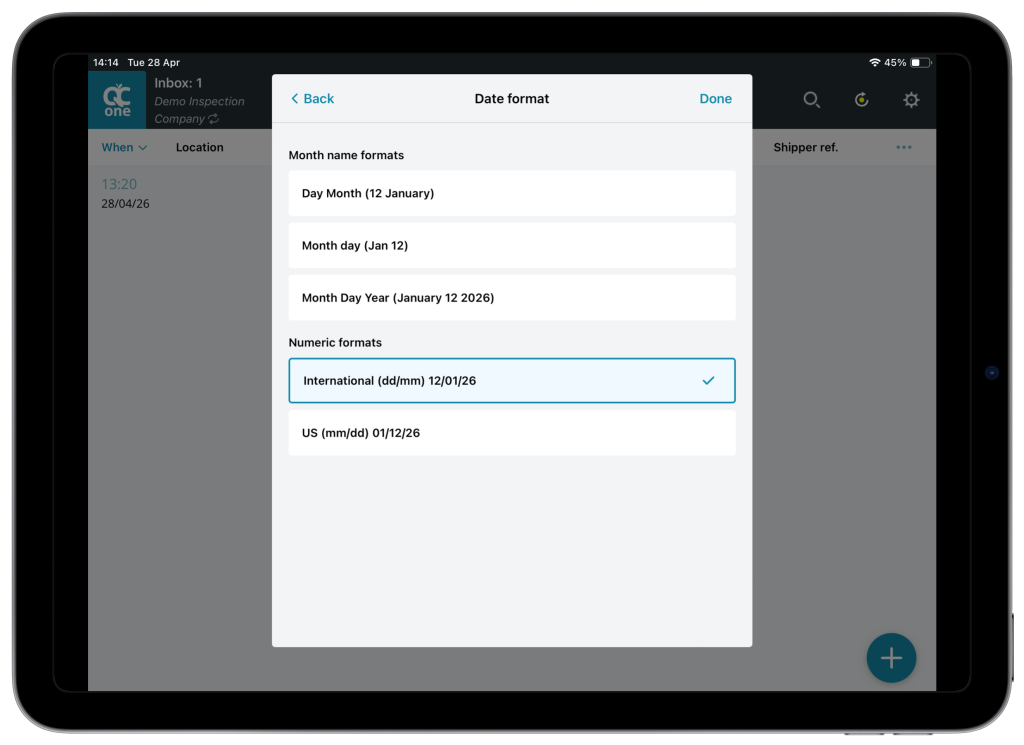
Improved date format handling (incl. month name translations)
We improved date display handling, including fixes for month name translations, by adding a selectable date format option (International vs US format).
Bug Fixes
Inbox UI fixes (iOS + iPad)
iOS: Fixed an issue where the inspections list could slide behind the keyboard when using search
iPad: Fixed an issue where filtering columns could cause the list to jump/move unexpectedly
Post-release Background Improvements
Background search improvements (Elasticsearch)
We also made behind-the-scenes upgrades to our search infrastructure (Elasticsearch) to support continued stability and future improvements. Most users won’t notice a visible change, but this work helps keep search and filtering reliable and maintainable.
What do you need to do?
No action is required on your part. The update will be available automatically as part of our phased rollout. Simply update your app when prompted to enjoy the latest features.
Thank You
We appreciate your continued feedback and support as we work to make QC One Portal & App better for everyone. If you have any questions or need assistance, please don’t hesitate to reach out to our support team.