We are excited to announce the release of QC One Inspector app 20.21.0.
This release focuses on performance improvements and Inbox optimizations to provide a smoother and better overall user experience.
Release details
- Release Date: November 12, 2026 (± 16:00 pm CET)
- Version: 20.21.0
- Platforms: App
- Downtime: No downtime expected
🚀 QC One Inspector app: Release 20.21.0
Improvements
- New Inbox view: The Inbox now shows two tabs instead of three: Today and All. This simplifies navigation and, with the sync timeframe feature, makes your Inbox more efficient. The Today tab shows inspections scheduled for today; the All tab shows inspections that fall within the sync timeframe. For more information please check out this article in our Support Center
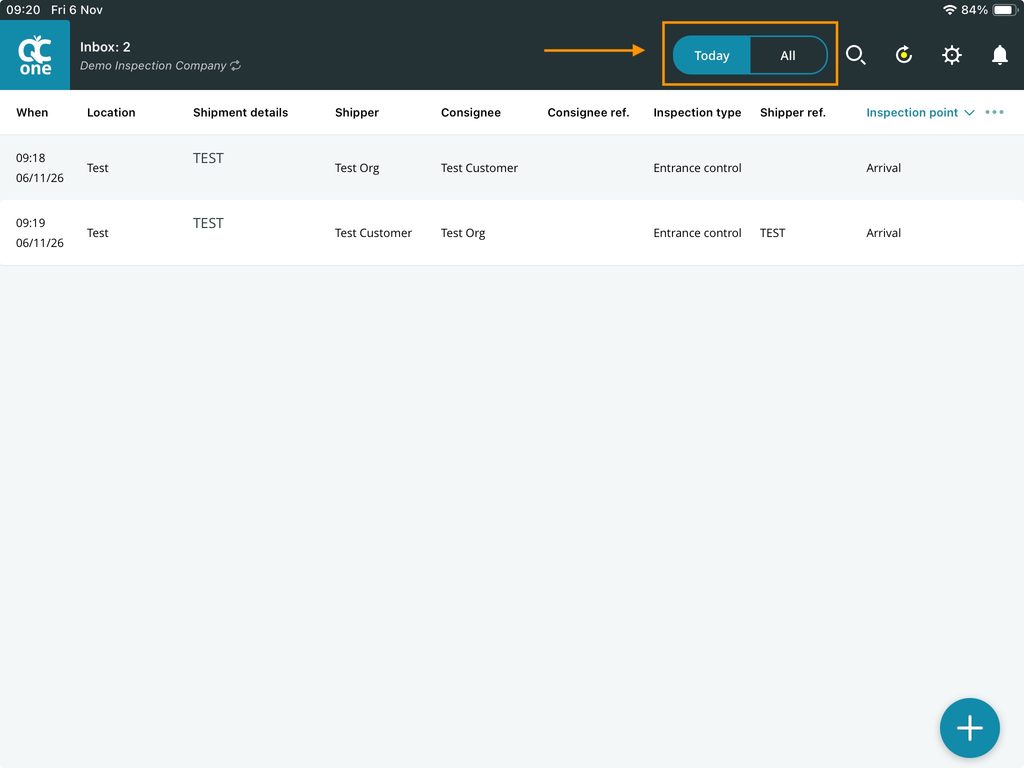
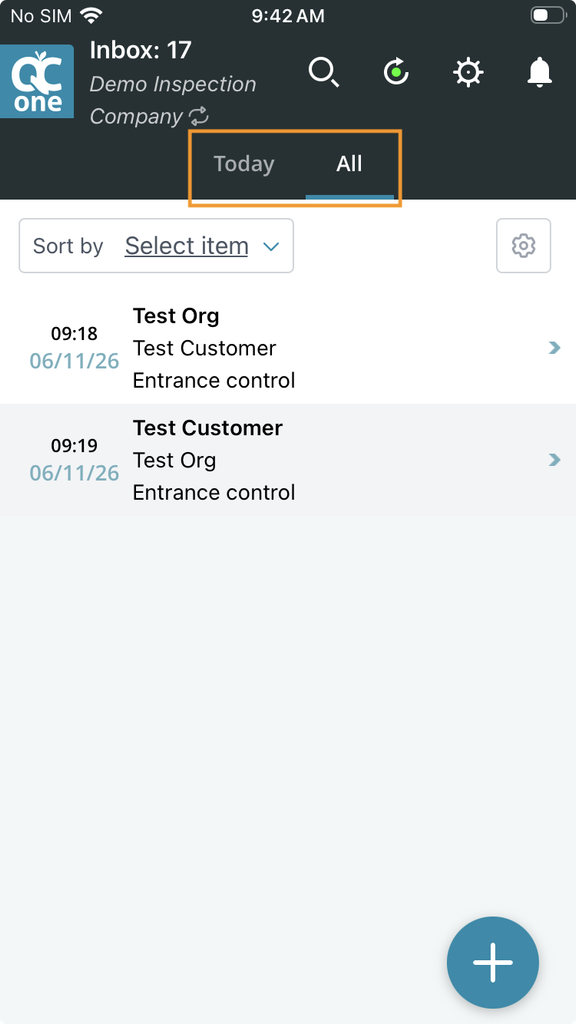
- Performance improvements: the upcoming release focuses on improving app performance in larger inspections, during unit linking, when creating local inspections, and when taking photos within QC One.
- Inspection sync range setting is now remembered per user, even after logging out or reinstalling the app
Bug fixes
- The ‘Next unit’ button within standard-style inspections now brings you to the Unit data tab of the next unit
- Barcode scanner input does not ovewrite previous samples for multi array numeric parameters in Specification Manager inspections
Looking Ahead: Upcoming Improvements to QC One
QC One Portal 6.0.2
Improved Inspection sync range setting: We will be making a change to how the sync timeframe setting works. Currently, the setting syncs all inspections scheduled within the selected range, as well as inspections that have already started, even if they fall outside that range.
With the upcoming change, only inspections scheduled within the selected range will be synced. This removes the existing exception and makes the setting more straightforward and predictable. It also helps reduce unnecessary syncing, improving sync performance and making the overall experience smoother.
Please note: This change is not included in this week’s release. We will keep you informed when it becomes available. If you wish to read about the changes already then please check out this article in our Support Center.
Thank You
We appreciate your continued feedback and support as we work to make QC One Portal & App better for everyone. If you have any questions or need assistance, please don’t hesitate to reach out to our support team.